
Appearance
Big Data Row Viewer field
Use Big Data Row Viewer to display or work with permitted scalar fields from one selected collection row.
Example: show the selected account record
- Select Fields > Other > BigData Row Viewer.
- Select the viewer and open Edit > Configure BigData collection.
- Choose the approved collection.
- Configure the filter under the section that selects a single matching row. The filter must resolve to exactly one record.
- Save the configuration.
- Use the viewer toolbar’s Add action to include only the needed fields. Use Remove to take any field back out.
- Preview with values that return one row, no row, and more than one row. Correct the filter rather than publishing an ambiguous result.
Expected result
The viewer maps fields from exactly one record. It supports scalar strings, Booleans, integers, and floating-point values; collection arrays and internal _id are not normal mappable fields. 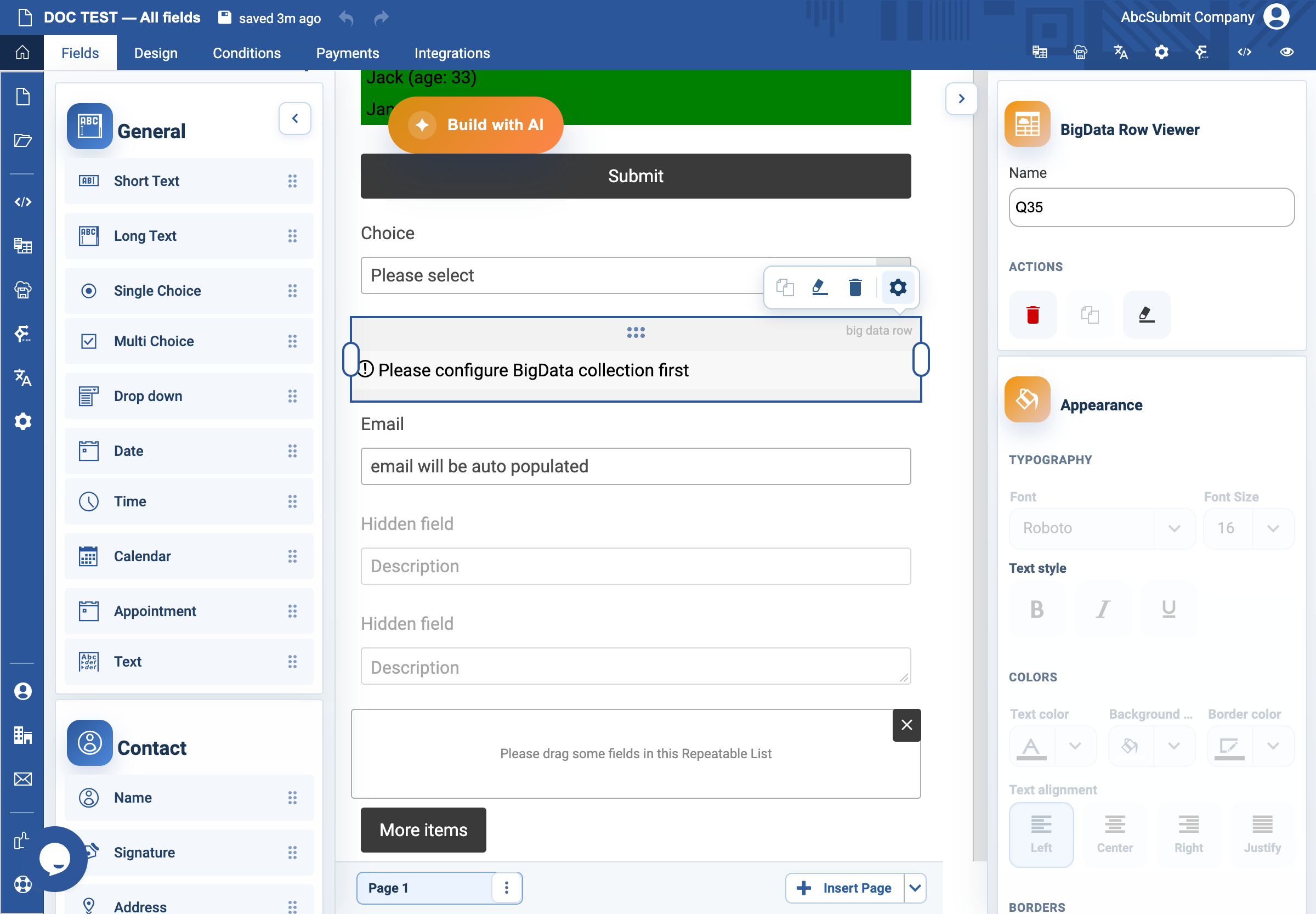
Collection and permission limitations
The viewer’s collection configuration is available only after the account can read a BigData collection. Configure a single-row filter, then add only the scalar fields that may be exposed. Strings, Booleans, integers, and floating-point values are supported; arrays and the internal _id are not normal mapped fields. If permissions, the collection, or the filter changes, the viewer may show no row or an ambiguous result; test zero, one, and multiple matches before publishing.