
Appearance
Help and feedback
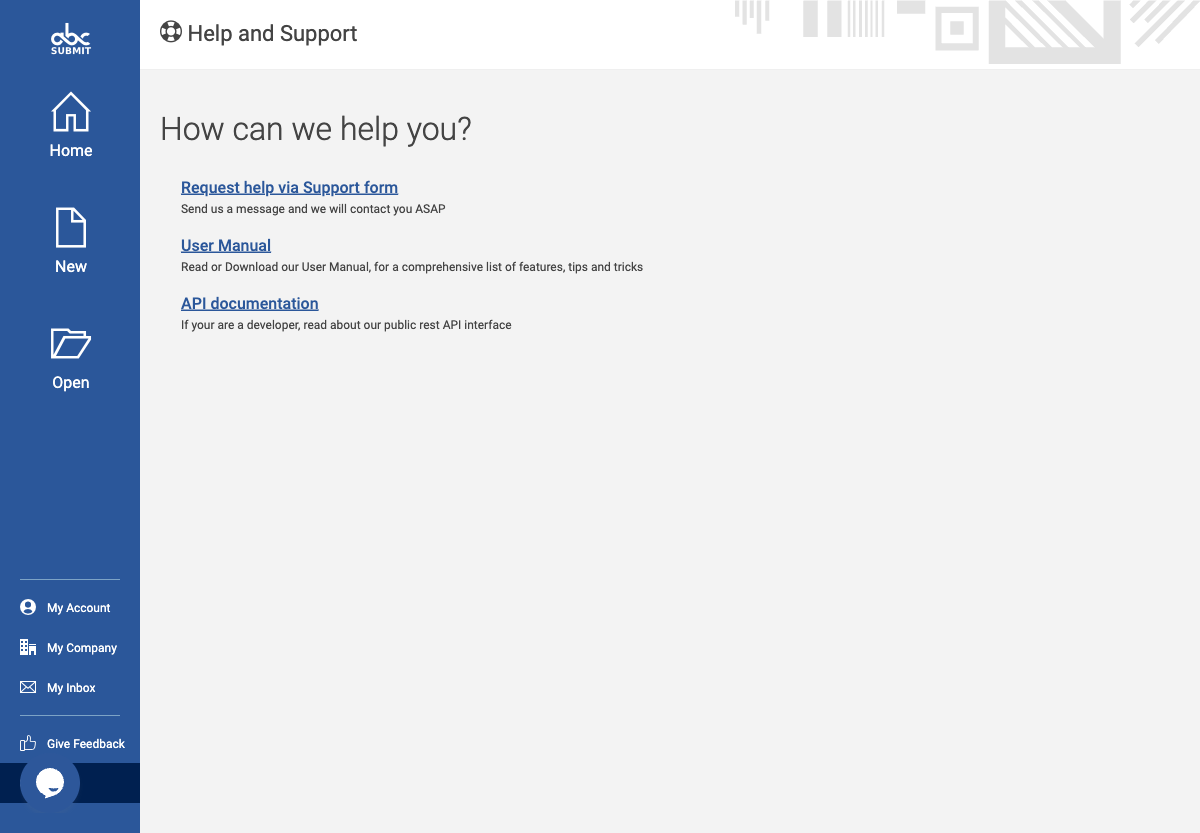
Use Help to locate product assistance and Feedback to submit product feedback through the in-product feedback form.
Get help
- Open Help from the editor navigation.
- Look for the topic that matches the task before changing the form or account configuration.
- When requesting support, include the feature, safe reproduction steps, expected result, actual result, browser/device context, and any non-sensitive error text.
- Do not include passwords, tokens, customer submissions, payment details, or uploaded customer files in a support request.
The live Help page currently exposes three links: Request help via Support form, User Manual (PDF), and API documentation. Use the support form for account/product assistance, the manual for end-user feature instructions, and the API page for developer integration details.
Send feedback
- Open Feedback.
- Describe the product behaviour or improvement request in concise, reproducible terms.
- State the feature area, expected outcome, actual outcome, and the minimum safe steps to reproduce.
- Review the message for sensitive content before submitting it.
The Feedback route provides a required product-usage-duration selector, a recommendation choice, five-star ratings for visual design, performance, feature set, price, and support, an optional free-text comment, and Send Feedback. Submit feedback only when you have a genuine message to send.
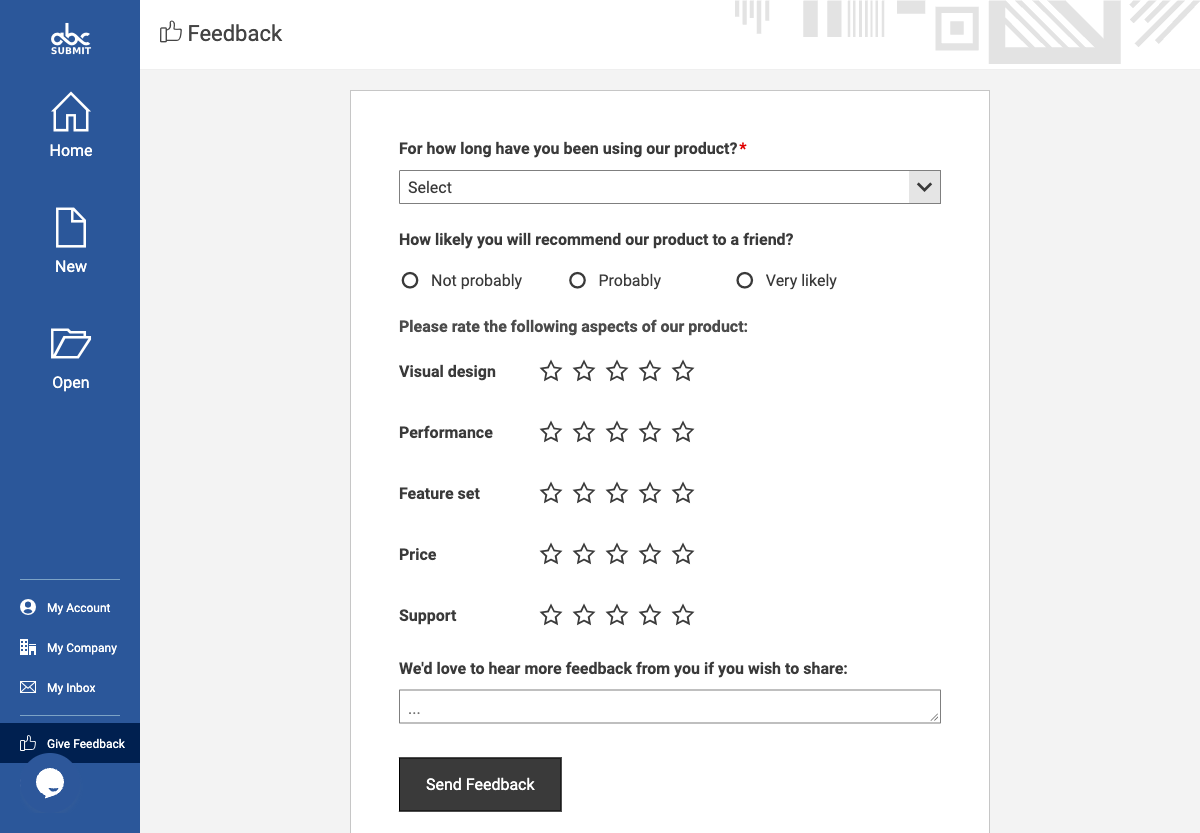
The form was observed without entering values or sending feedback.
Expected result
Support and product feedback are actionable without disclosing customer data or account credentials.