Appearance
File Upload field
Use File Upload to collect an attachment with a submission.
Example: proof-of-purchase attachment
- In the form editor, select Fields > Media > File Upload.
- Select the new field and open Edit.
- Set the label to
Upload your proof of purchaseand Name toproof_of_purchase. - Under Allow file types, choose the narrowest applicable category. For this example choose Pictures only if a receipt photo is sufficient; choose Documents only if PDFs or documents are required.
- Turn on Required Field only if the request cannot proceed without an attachment.
- If the file needs its own download password, turn on Protect with password. Open Protect with password settings and replace any generic instruction with support-approved wording.
- In Preview, submit one allowed file and then attempt a disallowed file. If required, also test the password-protected download journey.
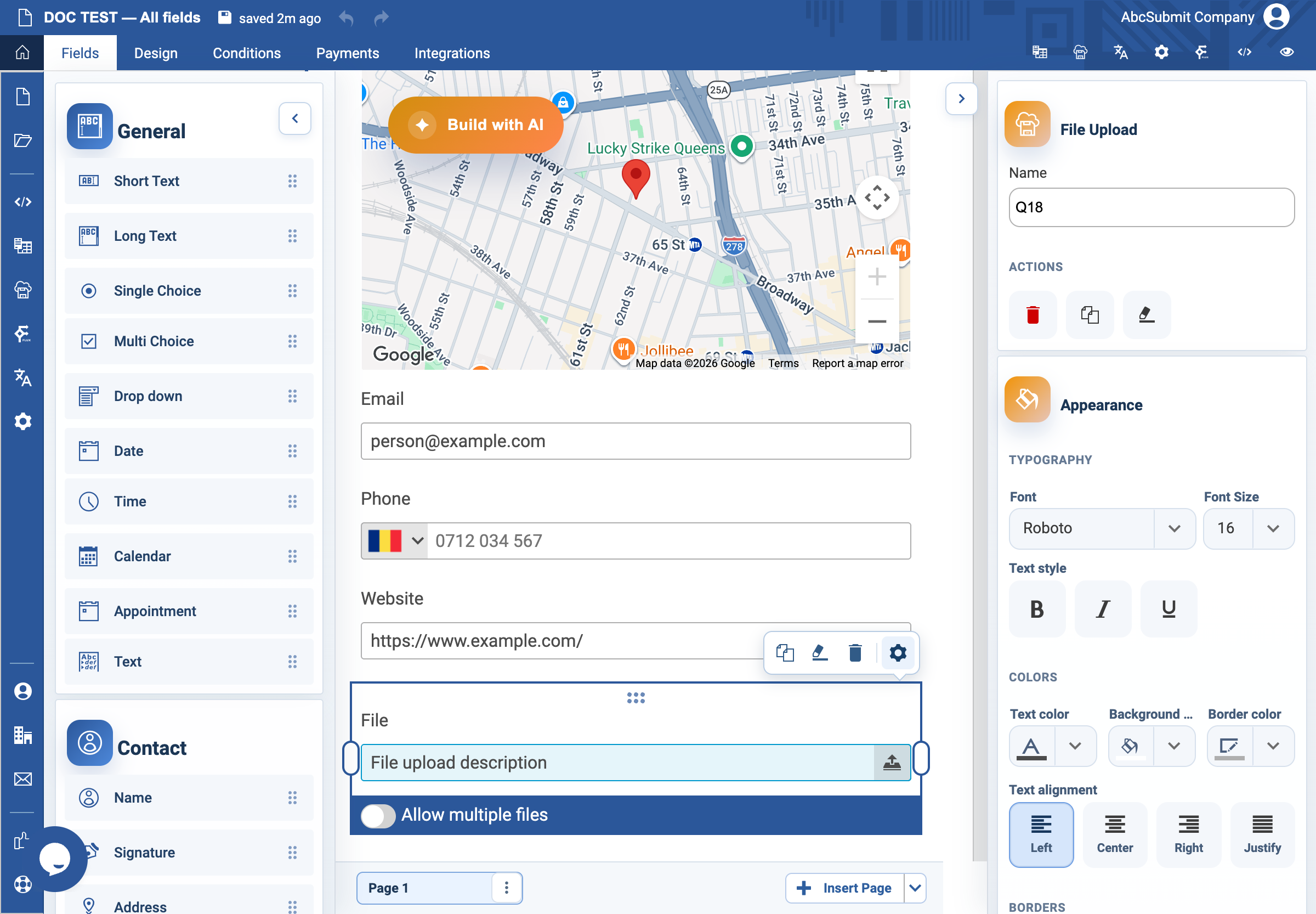
When File Upload is selected, its inline bottom command row includes Allow multiple files. Enable it when one submission may contain several attachments; leave it off when exactly one file is expected. This inline switch is separate from the settings drawer’s file-type and password controls.
Browser, storage, and permission limitations
The respondent must grant the browser access needed to choose or drag files. The picker/drag-and-drop UI can be unavailable on restricted browsers, mobile devices, sandboxed iframes, or when the form is not allowed to access local files. Uploads are staged, validated, and then sent to the server; an interrupted upload, size/quota limit, rejected type, virus detection, or network failure can leave a pending/failed item and block a required submission. Test one allowed file, one rejected type, cancellation, retry, multi-file selection, and the password-protected download flow. File-type filtering is not a replacement for server-side malware scanning or access control.
What every setting means
| Setting | Use it when | Check before publishing |
|---|---|---|
| Allow file types | You want to restrict attachment categories. | An allowed and disallowed file behave as expected. |
| Protect with password | The uploaded file requires a separate download safeguard. | The password wording, reset/support path, and access policy are clear. |
| Protect with password settings | You need to customize the password prompt or protected-download text. | The text does not promise security or retention terms your organization cannot meet. |
| Required Field | An attachment is necessary to process the submission. | A respondent knows exactly what to attach and can proceed if the file is unavailable through an approved alternative. |
Expected result
The form accepts only the selected type category and clearly tells a respondent whether an attachment is mandatory. Do not use test files containing real personal, financial, medical, or identity data.