Appearance
Map field
Use Map to display a map or capture a respondent-selected location.
Example: report an incident location
- Open Fields > Contact and select Map.
- Select the field and open Edit.
- Set the label to
Incident locationand Name toincident_location. - Turn on Interactive so the respondent can use the map.
- Turn on Save Value so a marker location is stored with the submission.
- Set Default zoom between 1 and 15; use a lower number for an area and a higher number for a precise location.
- Turn on Map Type, Zooming, Panning, Full Screen, Rotation, or Street View only when they help the task.
- Enable Search address only after a Google Maps API key is configured.
- Preview and move the marker. Submit a non-sensitive test location and verify the stored result.
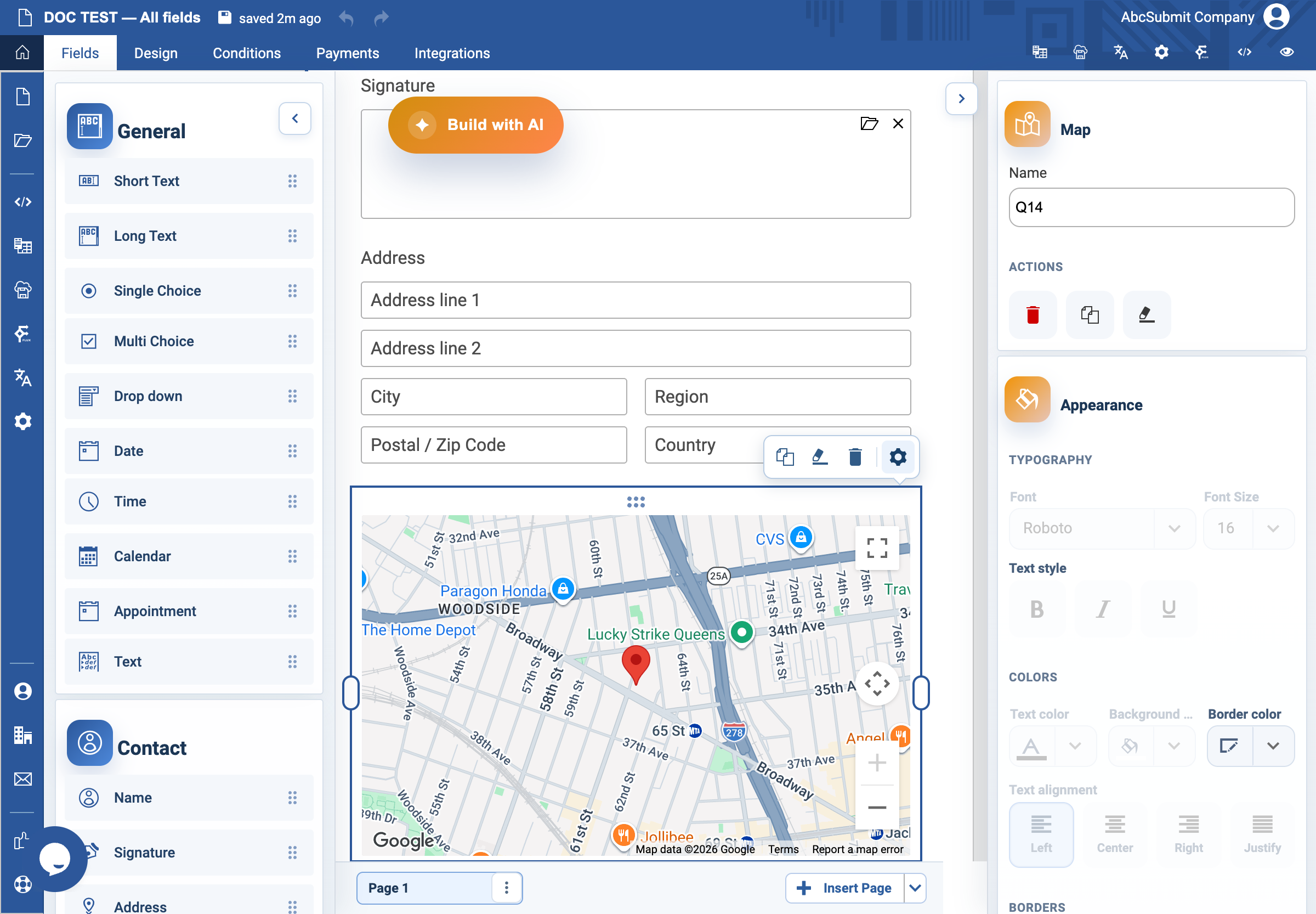
Selected Map toolbar and map controls
When Map is selected, the bottom field toolbar still provides Duplicate field, Clear formatting, Delete field, and Open field settings. The map itself also displays its provider controls (map type, zoom, fullscreen, keyboard shortcuts, and Open in Google Maps). These are interactive preview controls; configure respondent capabilities with Interactive, Map Type, Zooming, Full Screen, Panning, Rotation, Street View, Search address, and Save Value in the Map settings ribbon.
Expected result
The map is interactive and saves the selected location. If Save Value is off, it is informational only and does not collect the marker location.
Google Maps/API prerequisite
Search address, address autocomplete, and provider map features use the Google Maps JavaScript API (including Places for address search). In My Account / custom preferences, configure the account’s own Google Maps API key; the v2 editor warns that this is required when enabling the feature. The key must be valid for the site/origin and have the required APIs, billing, and restrictions enabled. Without it, the map may still render a basic map, but search/autocomplete can fail or be disabled. Never put a private server credential in field text or custom code.